

Lead Product Designer
App Design
Overview
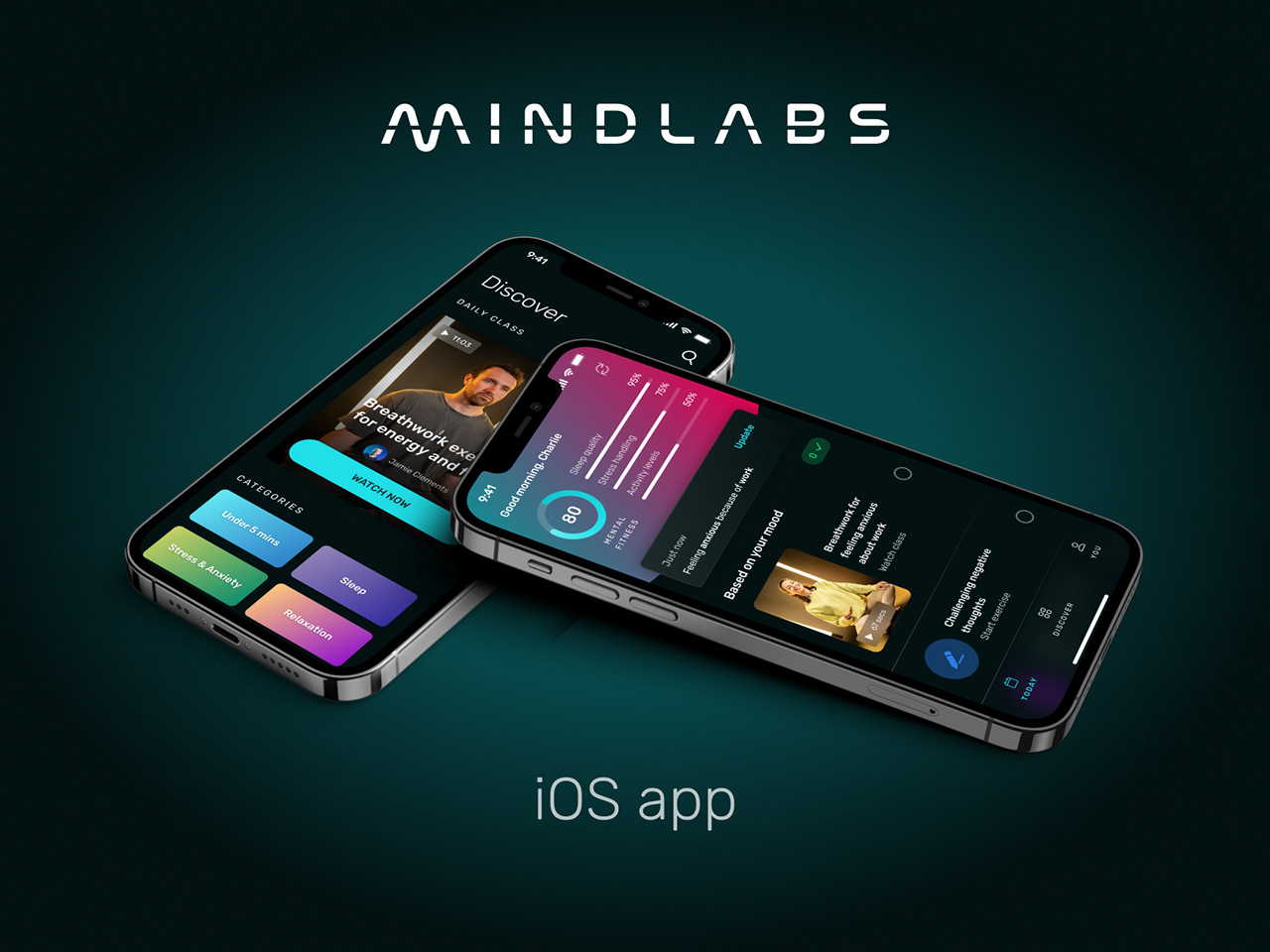
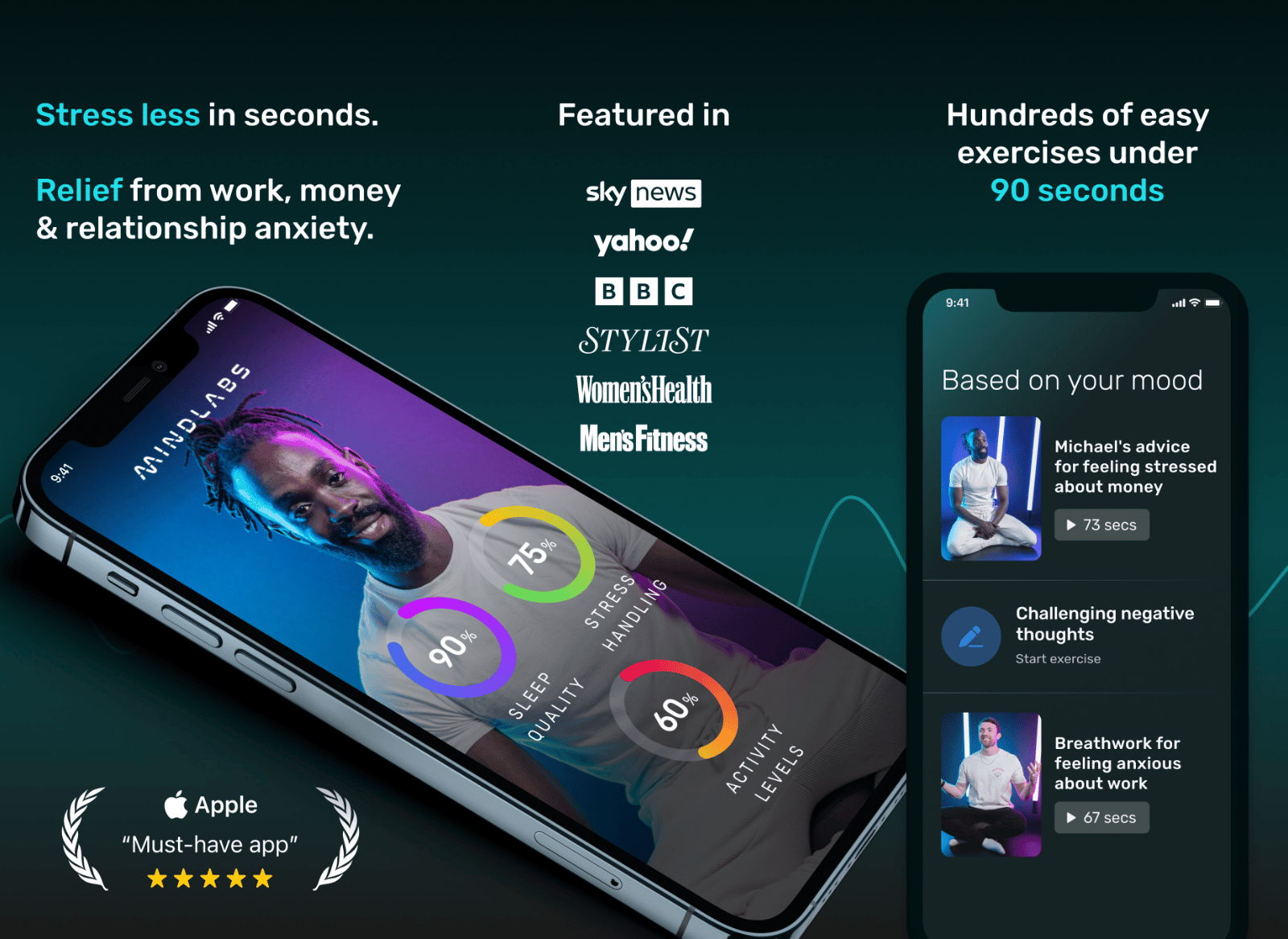
As the founding and sole product designer at MindLabs, I led the design and launch of their iOS app, aimed at making mental wellness accessible and engaging. Through user research, iterative design, and close collaboration with the development team, I helped create an app that achieved a 4.7 App Store rating with over 200 positive reviews. This case study outlines my design process and highlights key features that contributed to the app's success.
The Challenge
MindLabs launched amidst a growing mental health crisis, with people increasingly struggling with stress, sleep issues, and overall well-being. The challenge was to create a mobile app that effectively delivered MindLabs' unique video-based meditation content and stood out in a competitive market.
Solution & Outcome
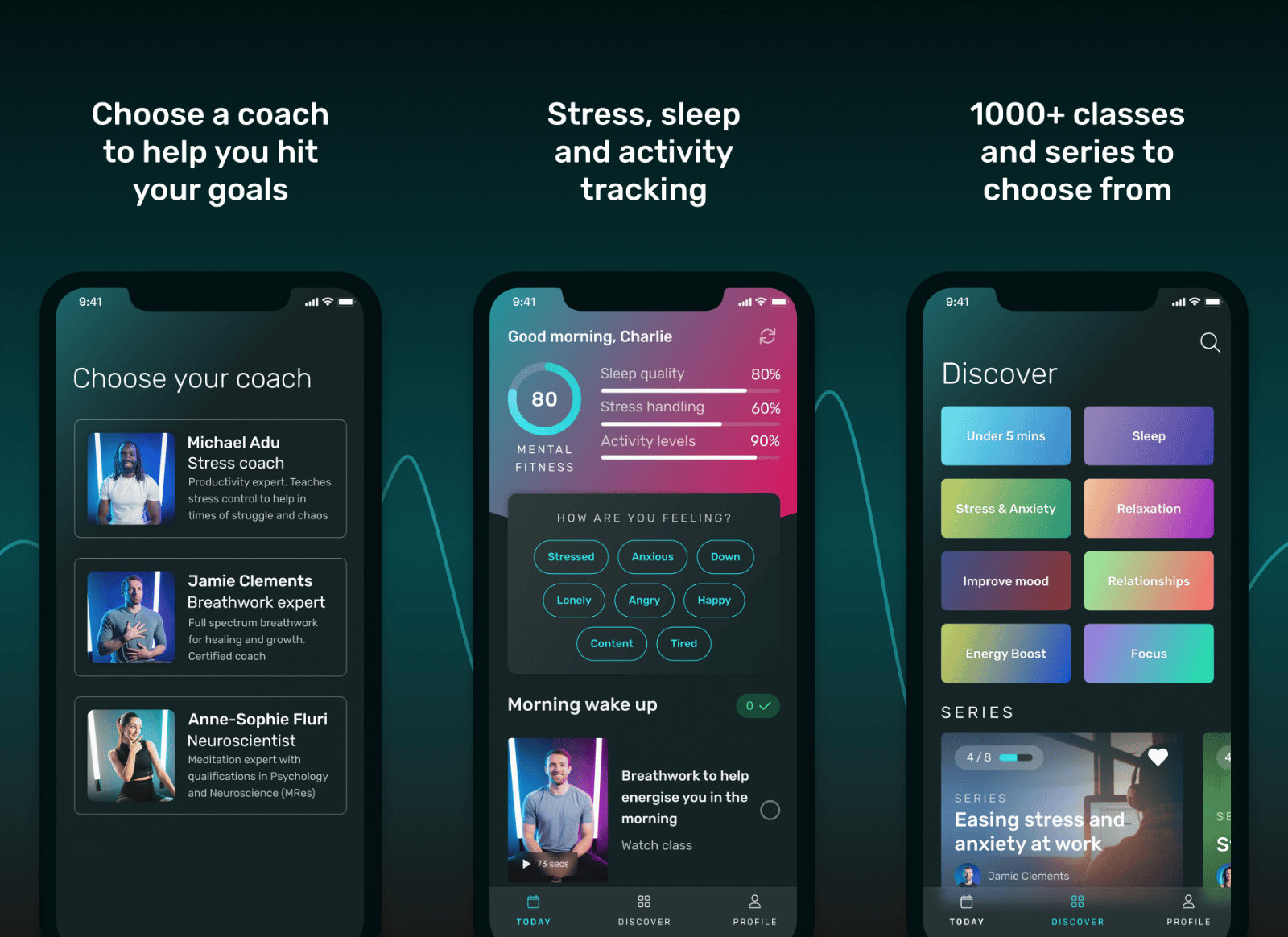
We developed a native iOS app to provide users with a convenient and engaging platform to access video meditation classes and track their progress.
4.7 ⭐️
App Store rating
200+
Positive reviews
Unfortunately the business did not succeed in the end, but our journey to market is documented below.
View prototype
Best mental health app out there! I've tried Calm and Headspace before but much prefer this video approach! Lot more personal and accountable when there's an instructor.

hasan2733274
App store review
Design Process & Iterations
MVP
Market research identified our target audience as 25-40 year-olds concerned with stress, sleep, and health, who were actively engaged on social media and interested in data-driven mental health solutions.
User testing with YouTube videos validated our hypothesis that video content would resonate with this audience.
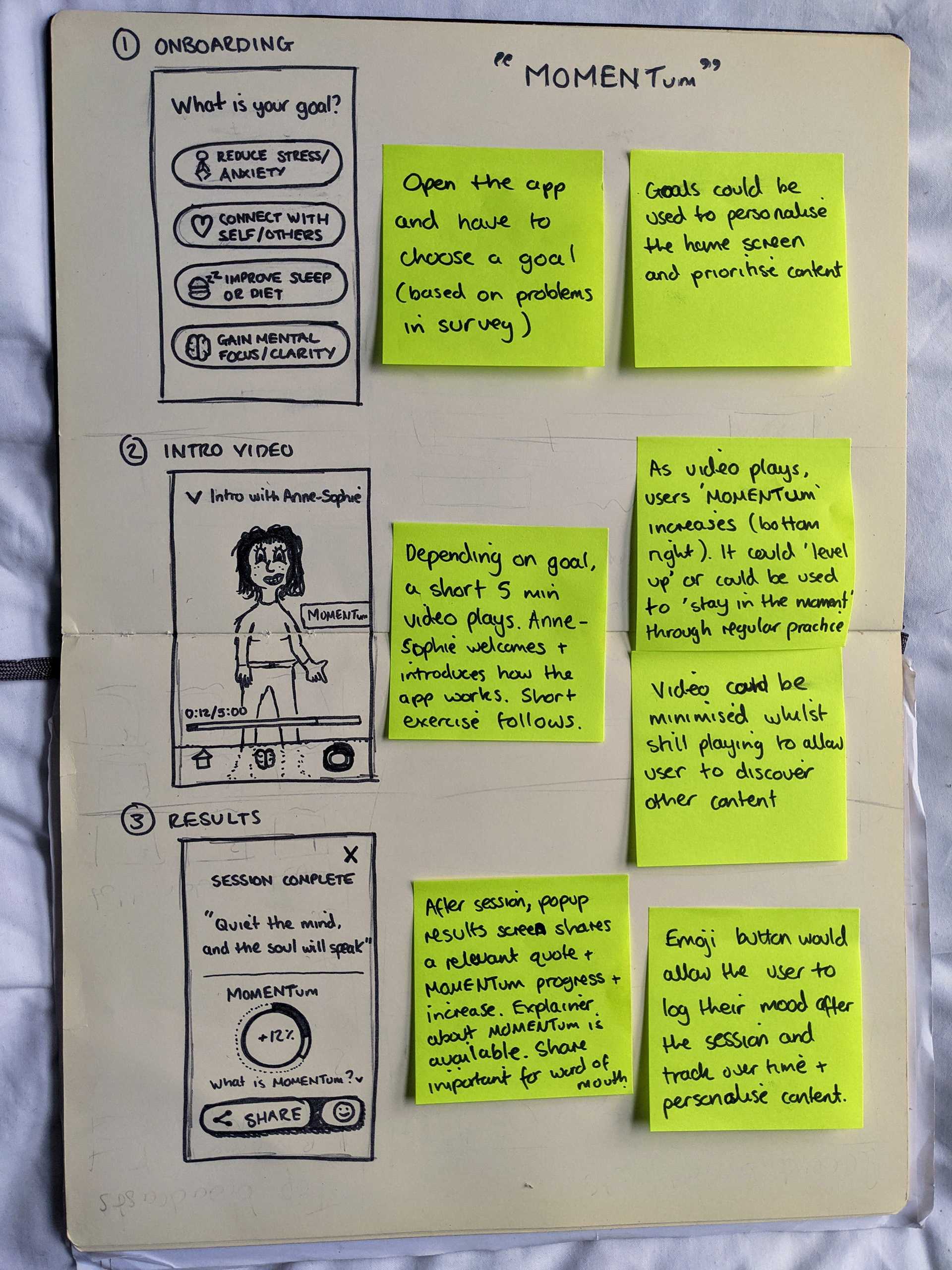
Sketches
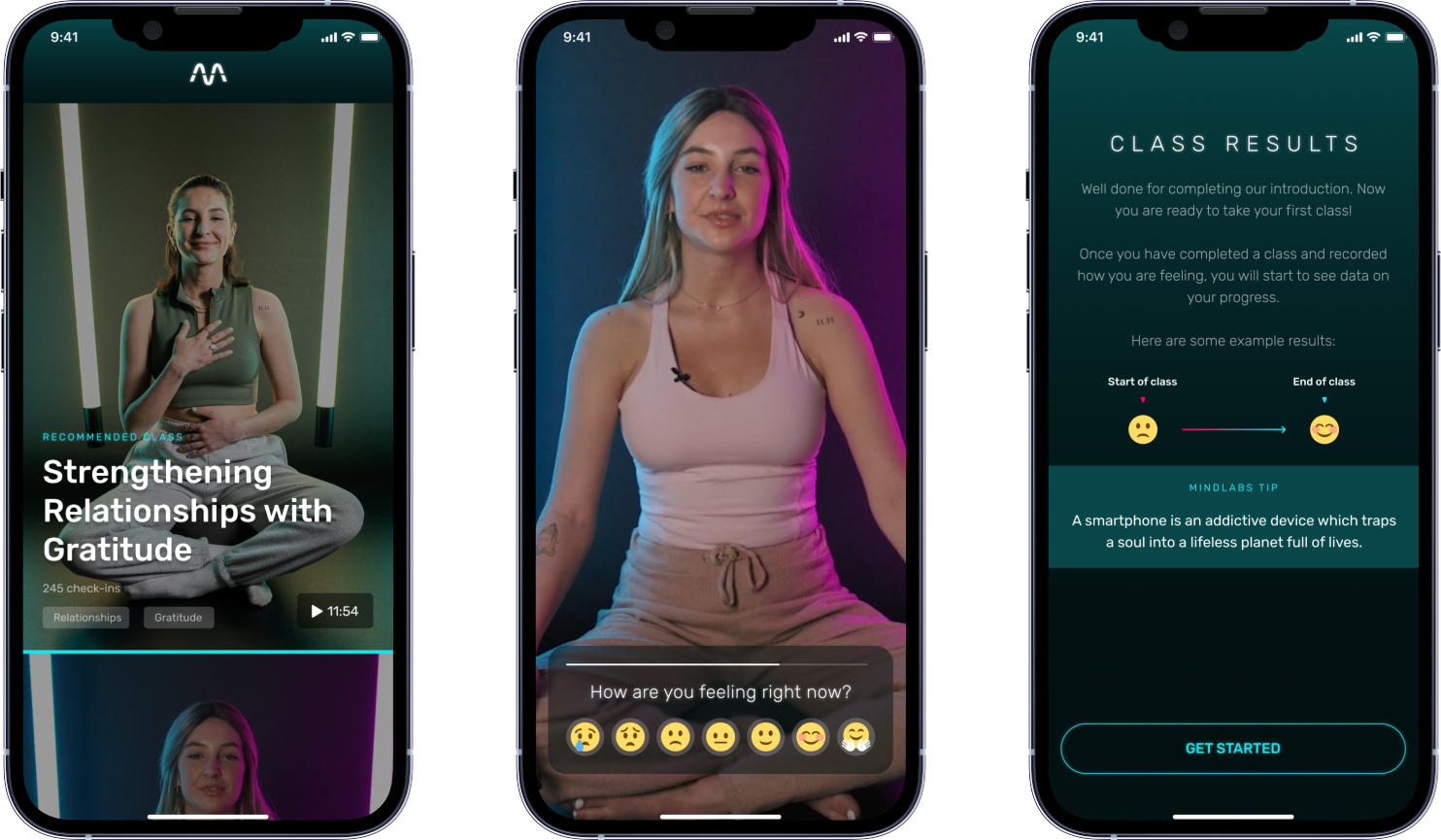
Screen design
Design for the MVP home screen, class, and results
Live classes
Initial live classes were run on Instagram to gauge user interest and behaviour.
Live classes were integrated into the app with scheduling, and notifications, to increase accountability and accessibility.
Sketches
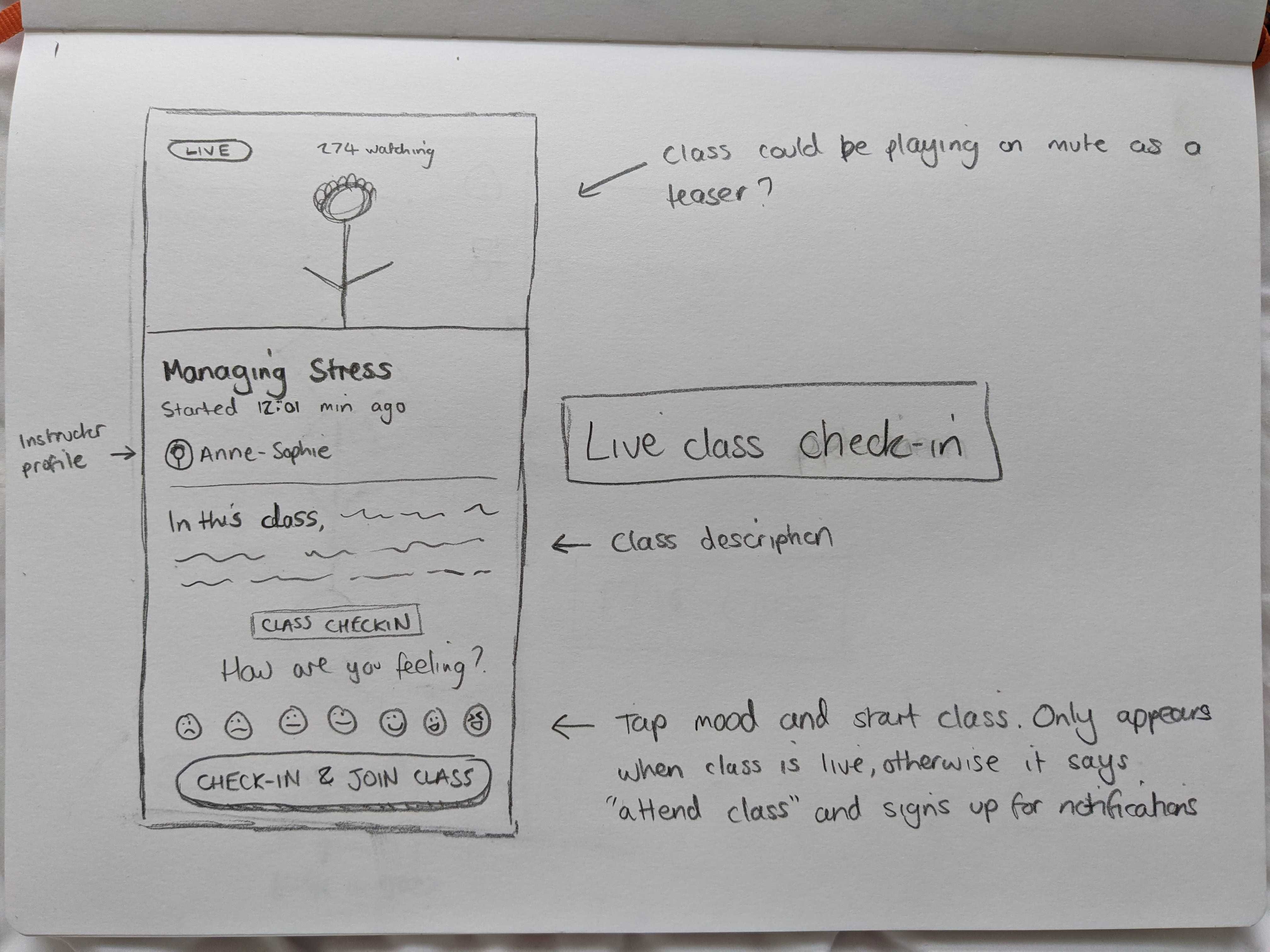
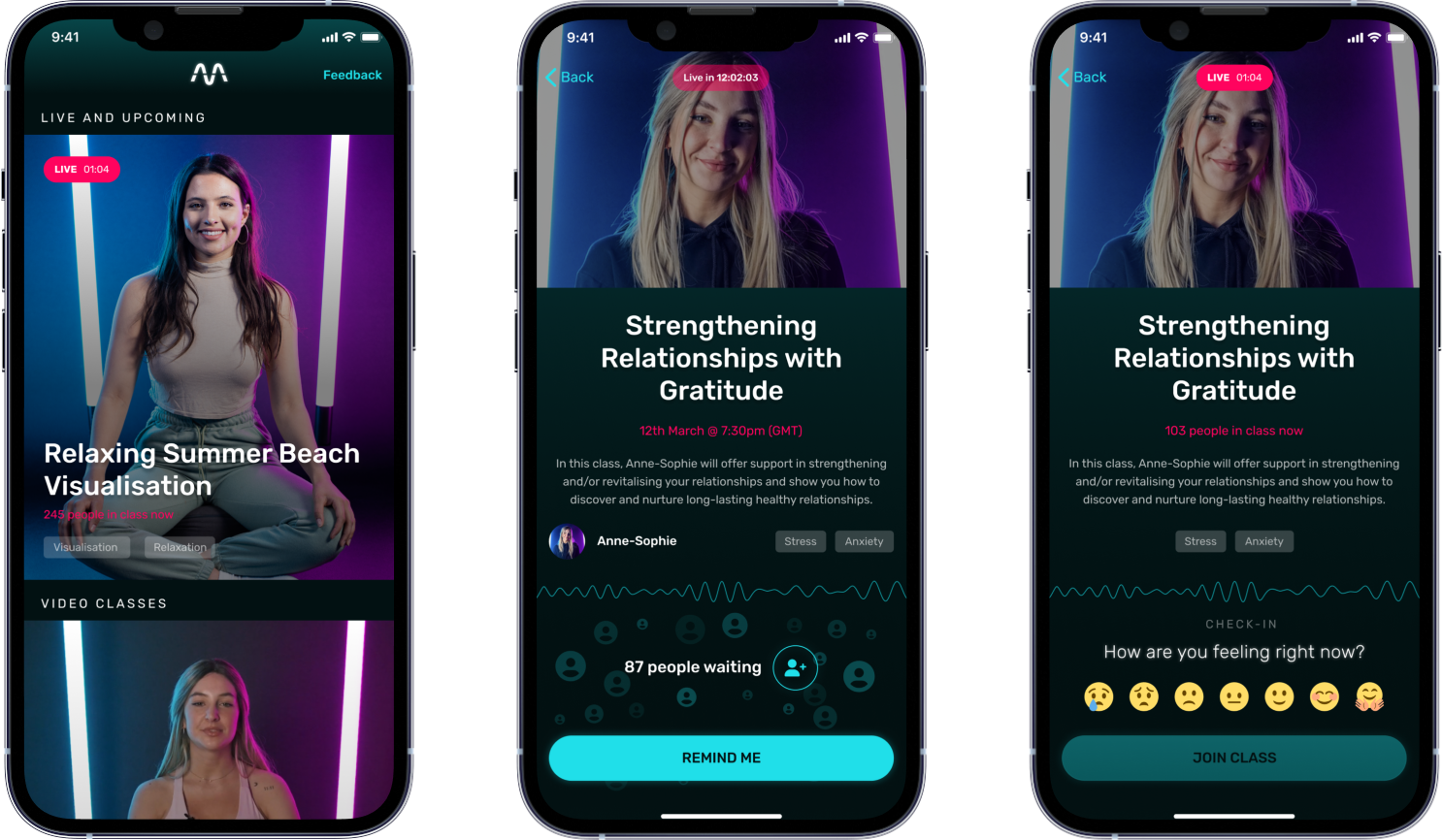
Screen designs
Designs for the updated home screen, and live lobby states.
Personalisation
User feedback highlighted opportunities to improve content discovery, the onboarding experience, and progress tracking.
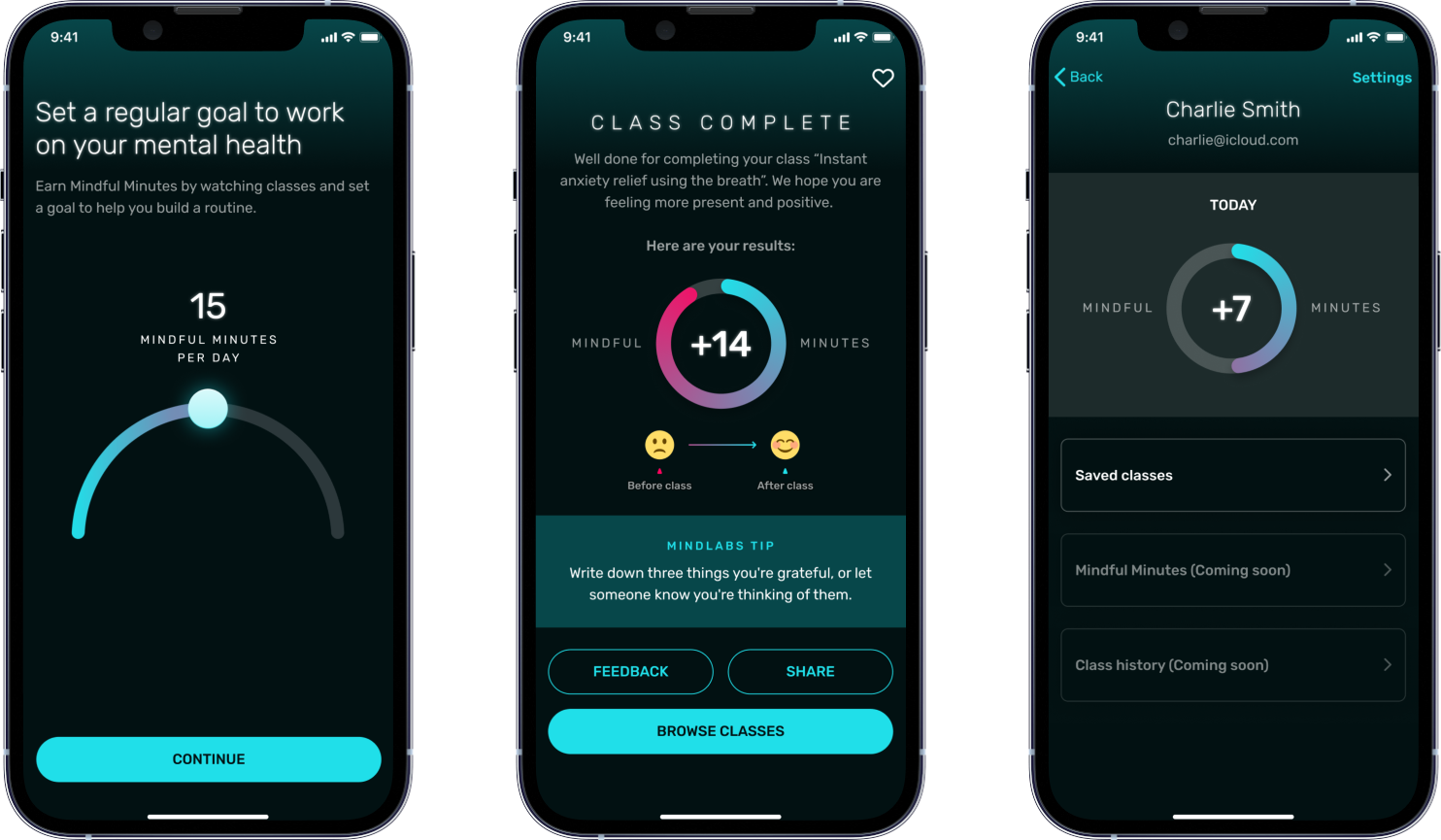
Personalisation features were implemented, including interest-based content tagging and "Mindful Minutes" as a daily goal metric.
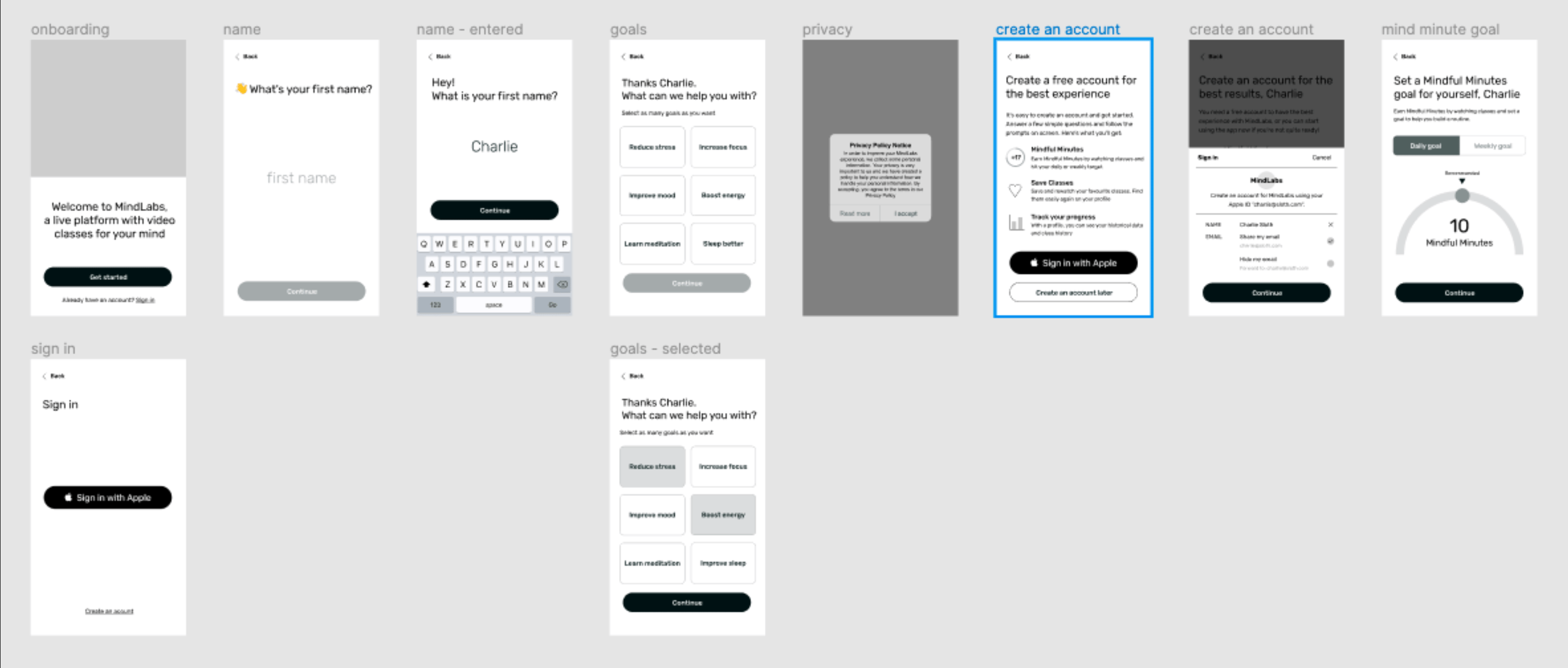
Wireframes
Wireframes for new onboarding UX.
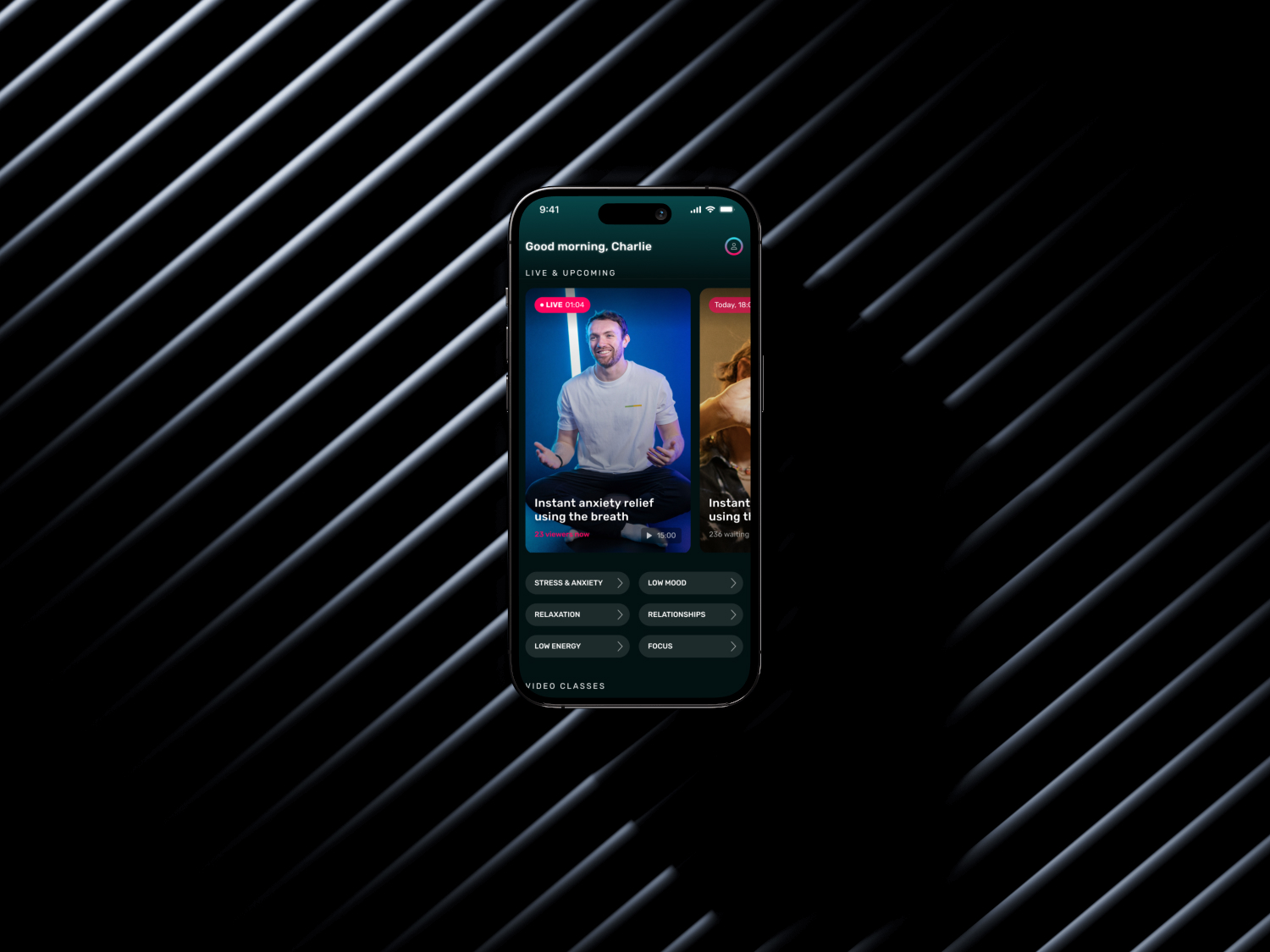
Screen design
Updated home screen with sliders and categories.
New onboarding steps, class results, and profile.
Replays
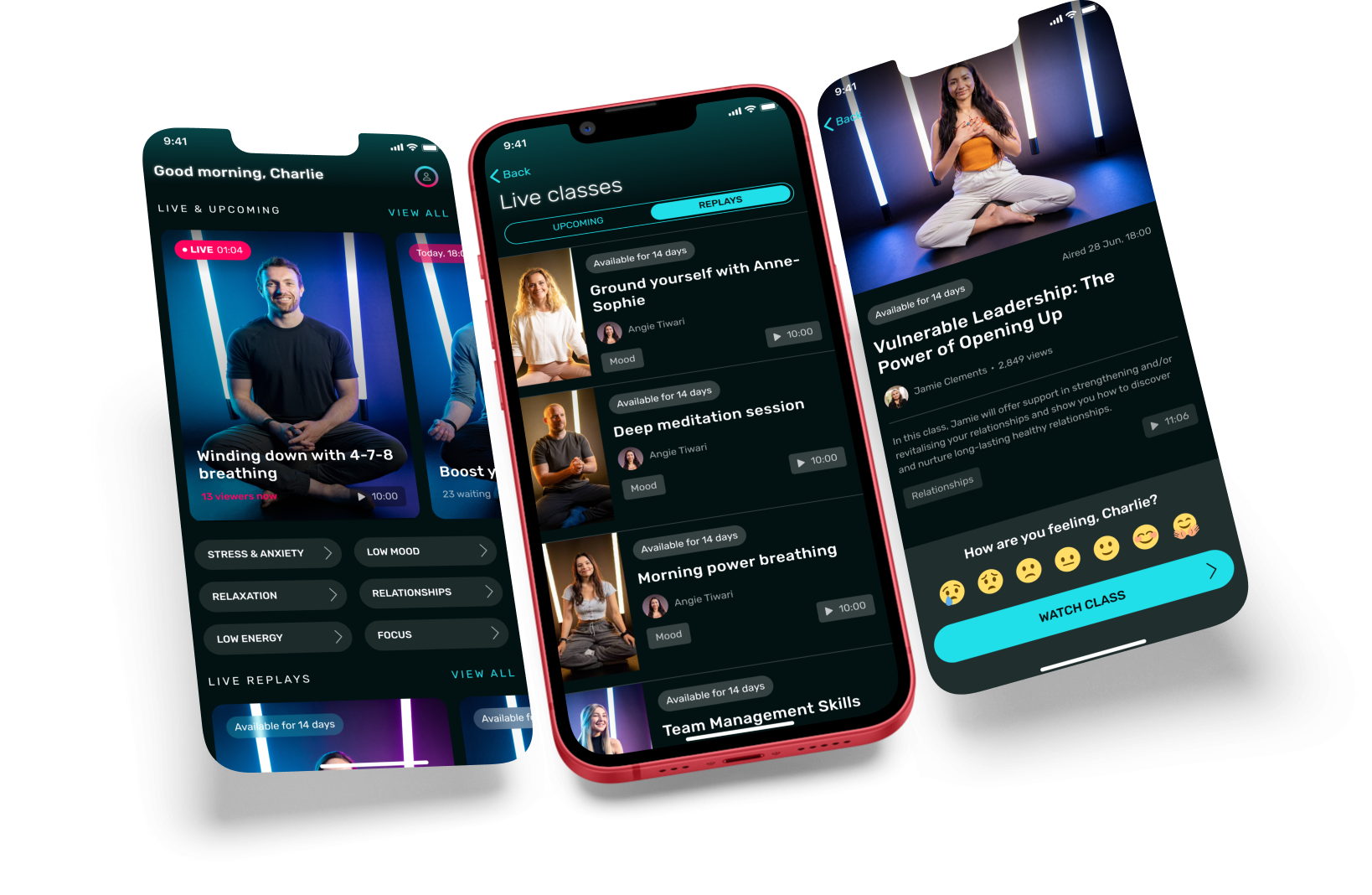
To address user challenges with attending live classes, we introduced live replays, allowing users to watch any class for up to 14 days after it aired. A live class and replay calendar was also added to improve discoverability and scheduling.
Screen design
Designs for the updated home screen, replay/live schedule, and replay lobby.
Branded live classes
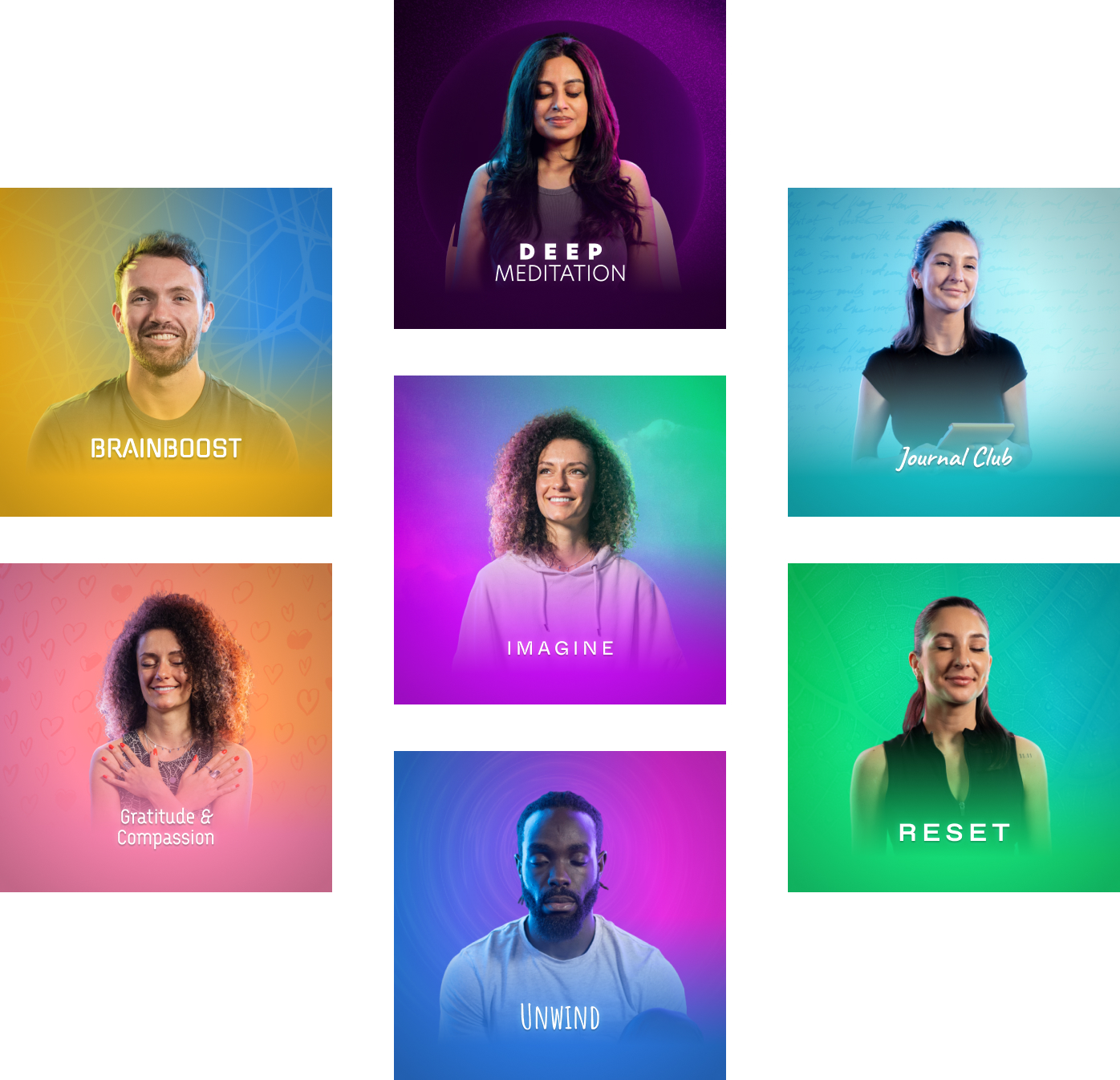
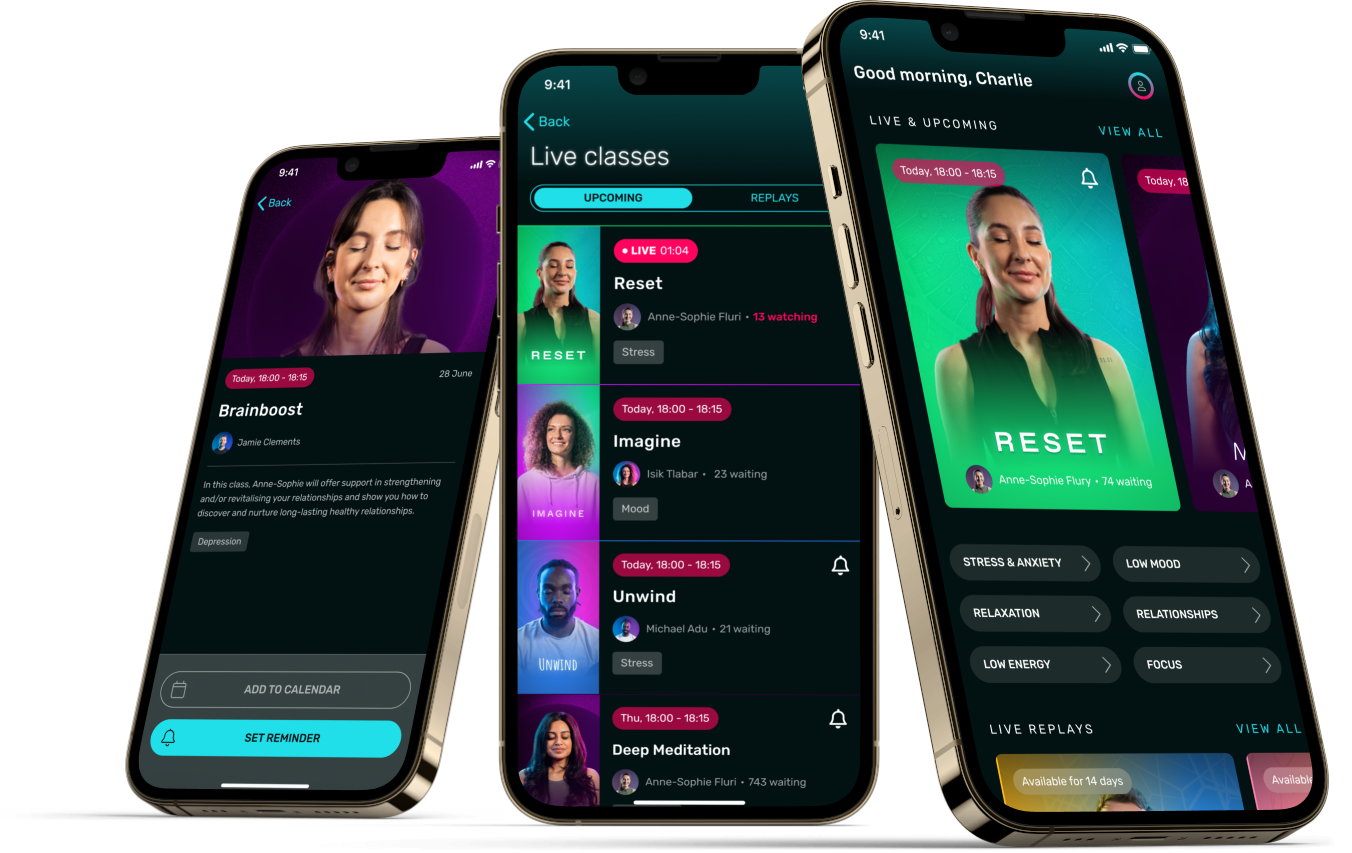
"Branded" live classes with consistent themes, identities, and schedules were introduced based on user feedback and to help organise the growing catalogue of classes.
Cover art
Screen design
Screen design for the updated home screen, live schedule, and lobby
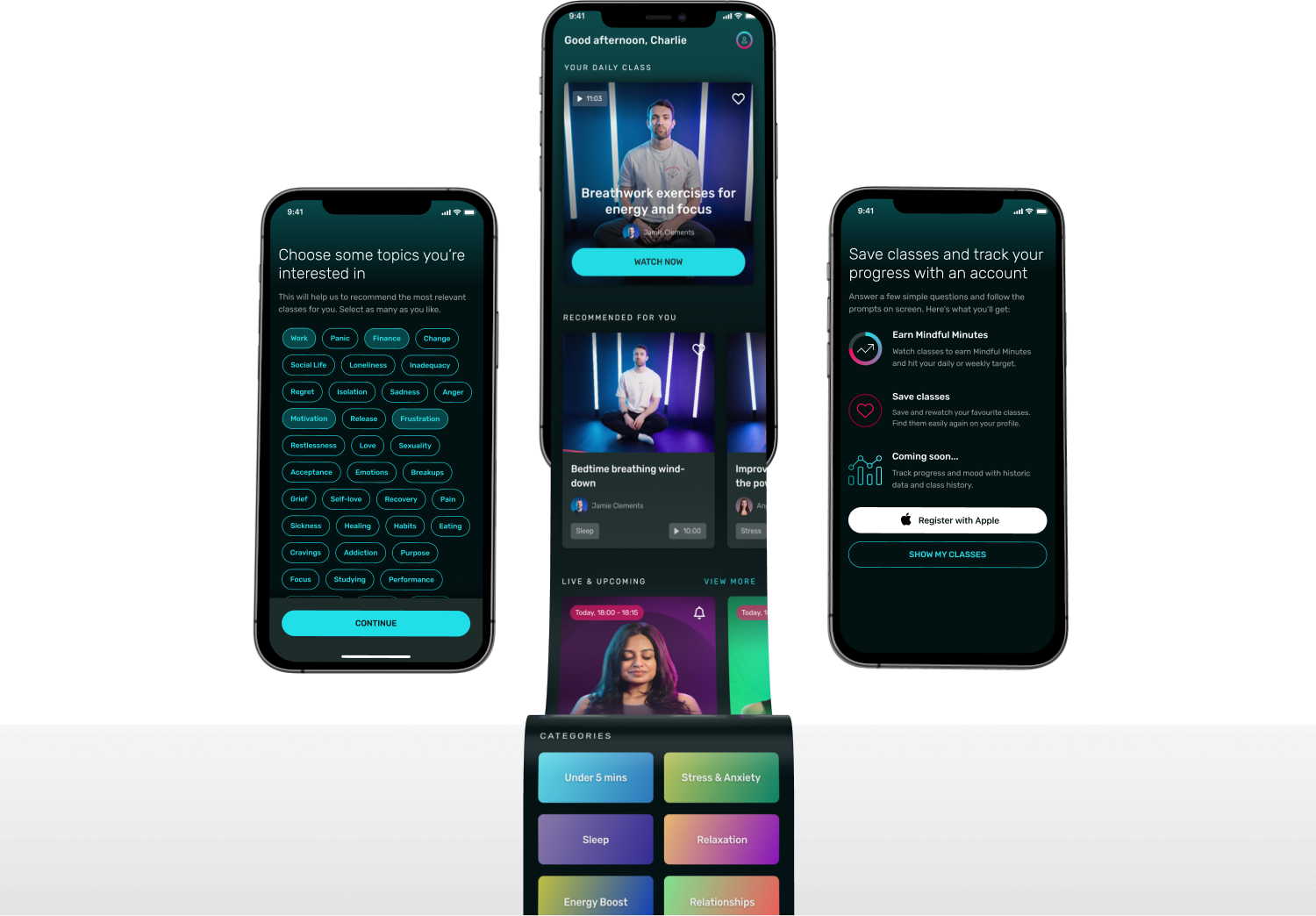
Content discovery
The home screen was redesigned to feature a daily rotational class and recommendations based on user goals and interests.
Subscriptions
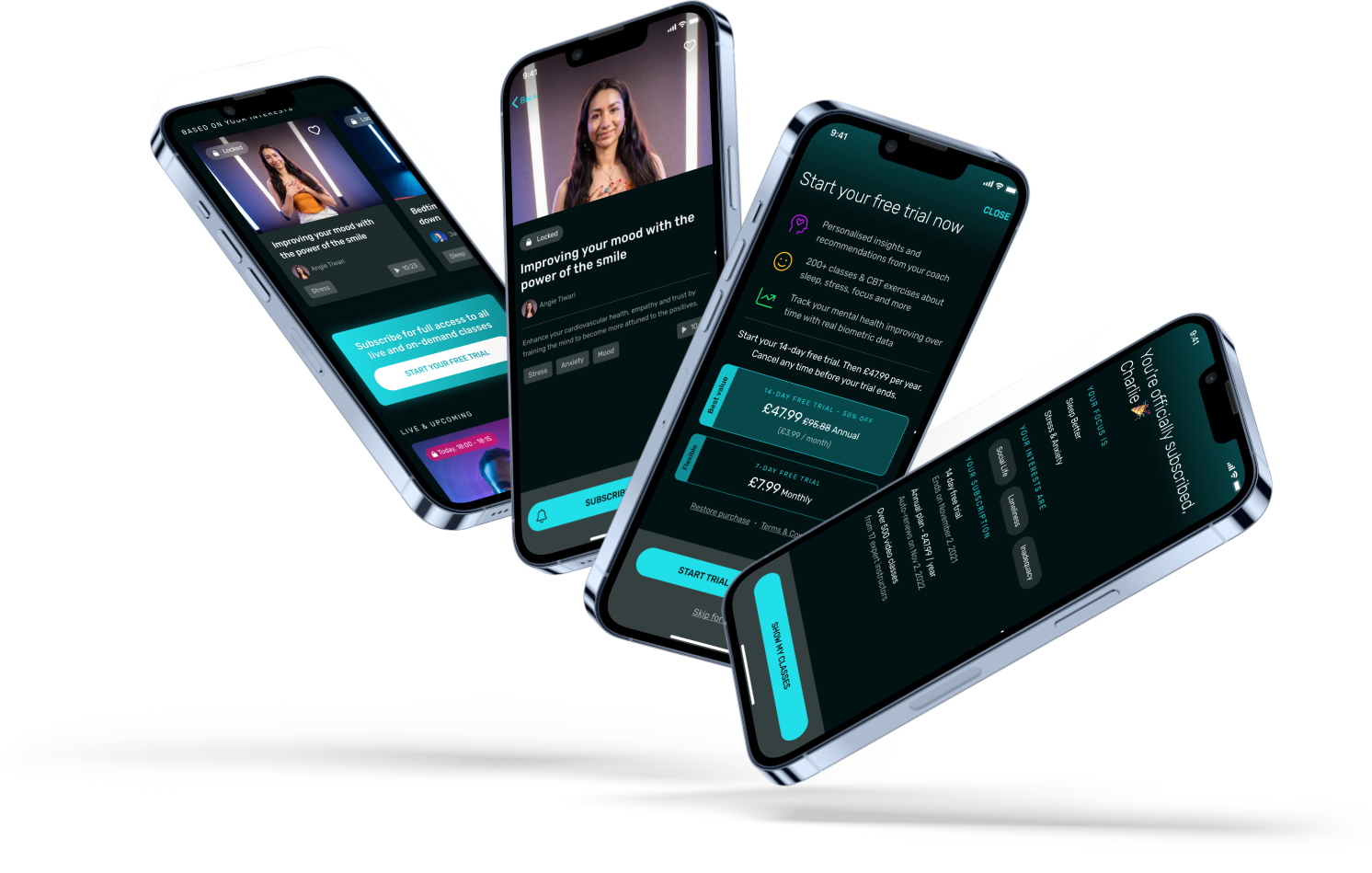
Two subscription flow prototypes were tested with users: forced at onboarding and delayed with user control.
The delayed subscription flow was validated due to better user experience, higher willingness to pay, and increased NPS scores.
Screen design
Screen design for putting certain features behind a paywall and subscription steps.
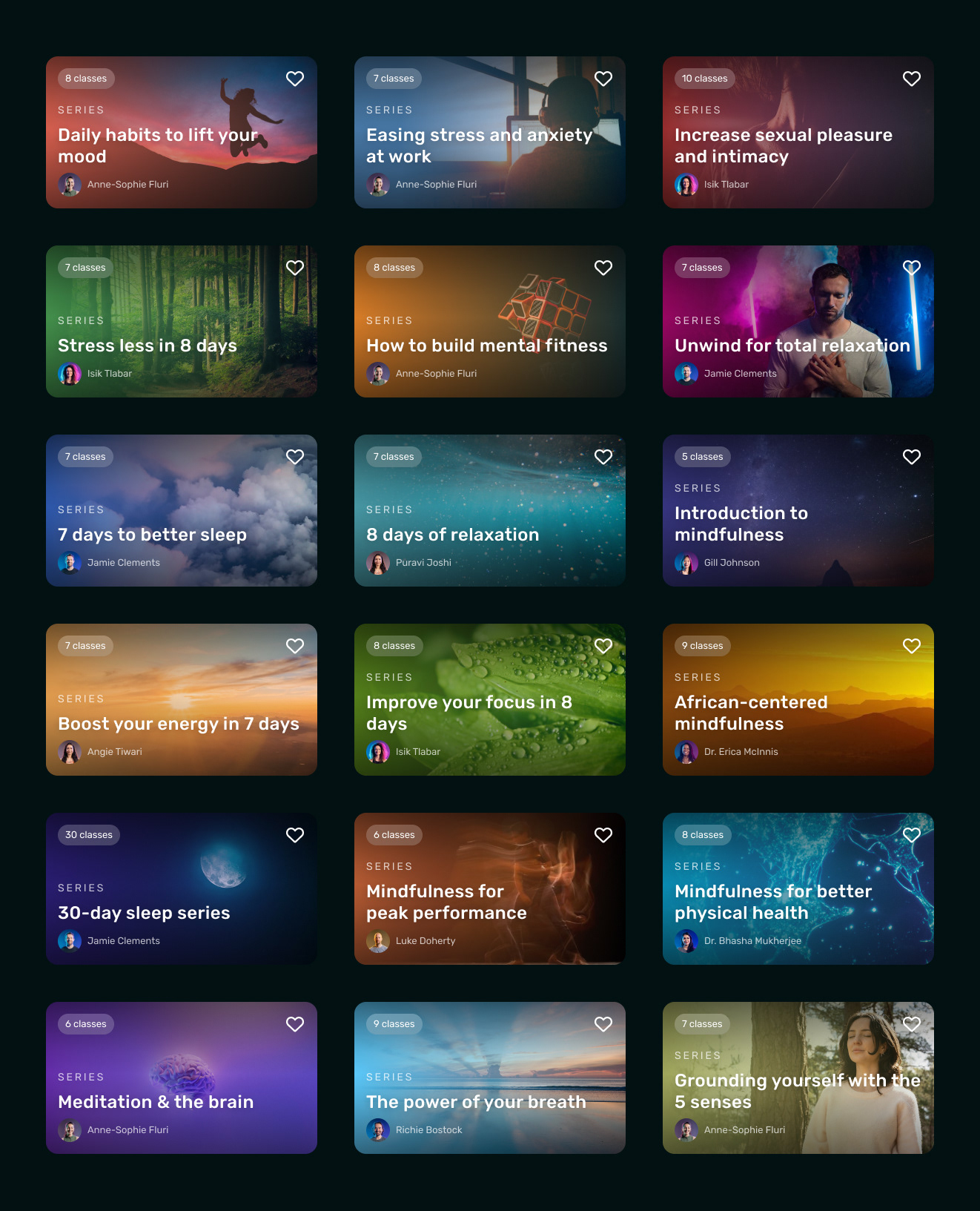
Series
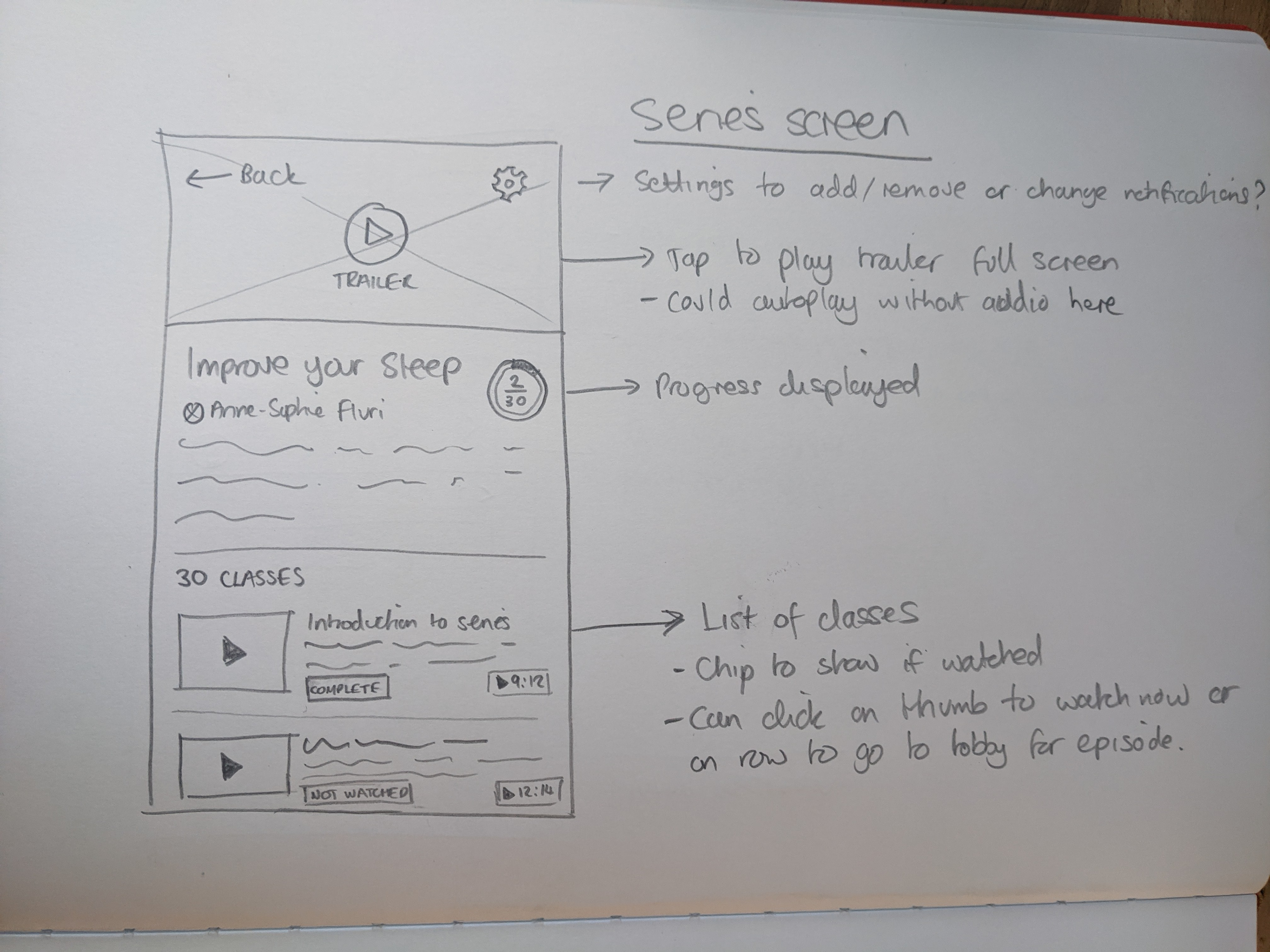
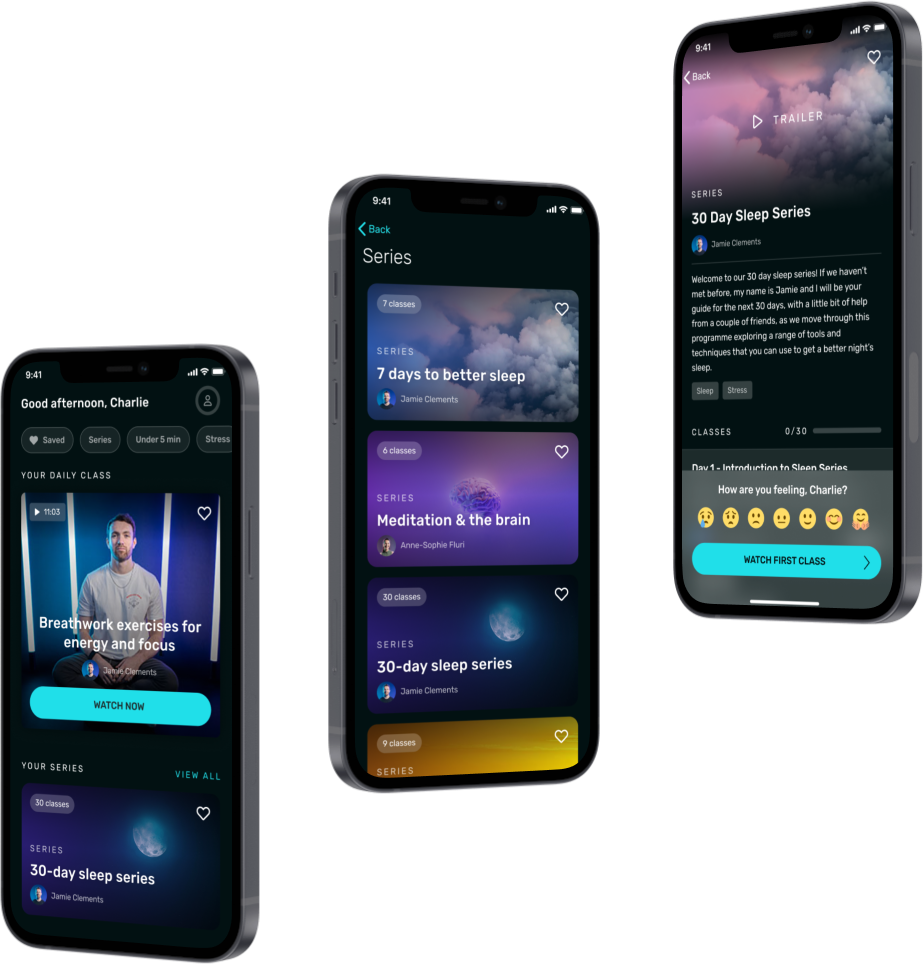
Series of related classes were created to provide users with a sense of progression and reduce decision fatigue.
Sketches
Screen design
Design for the updated home screen, series list, and series lobby.
Cover art
Navigation
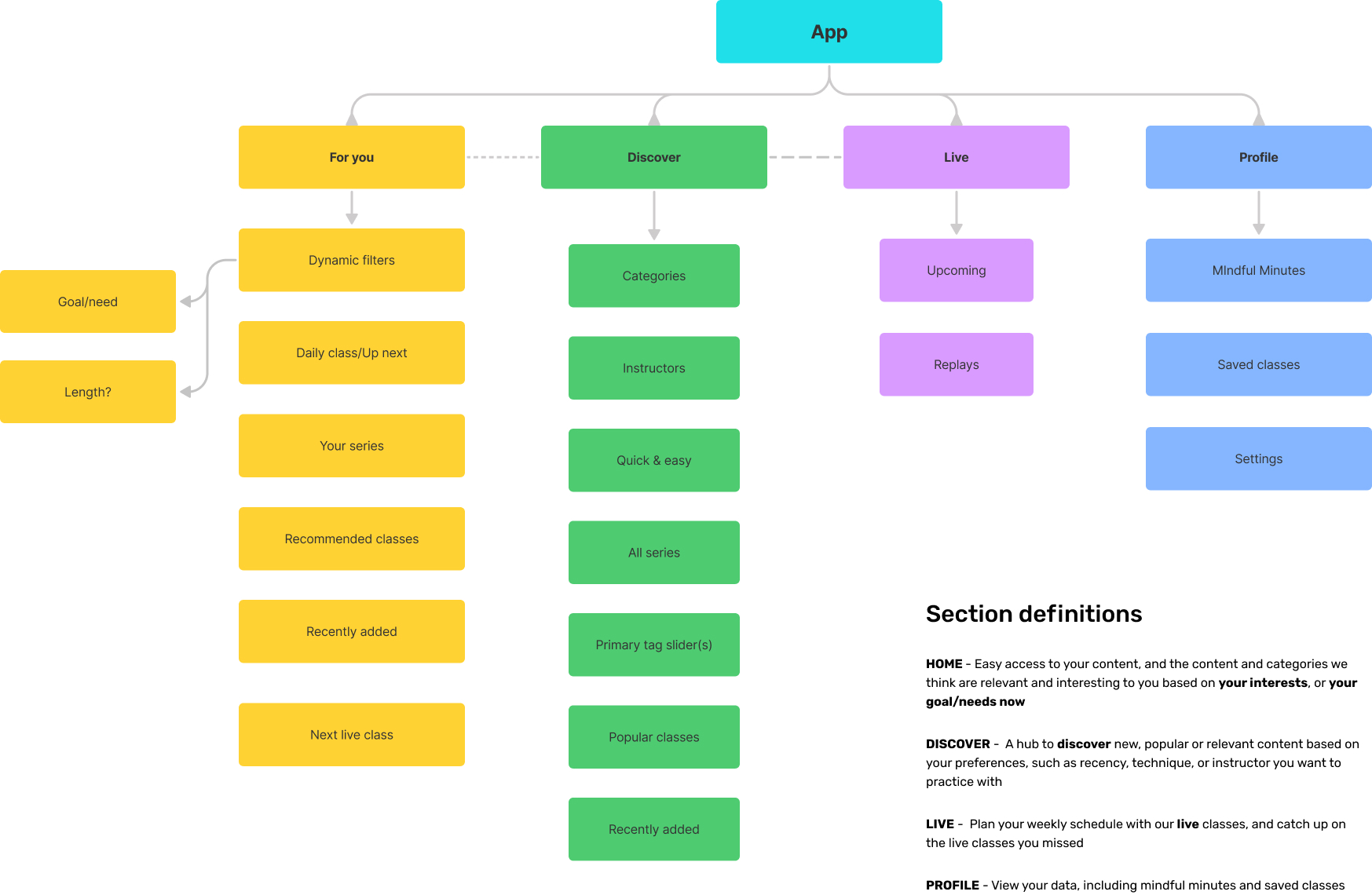
App navigation was restructured to improve content organisation and accessibility as features expanded.
Information architecture
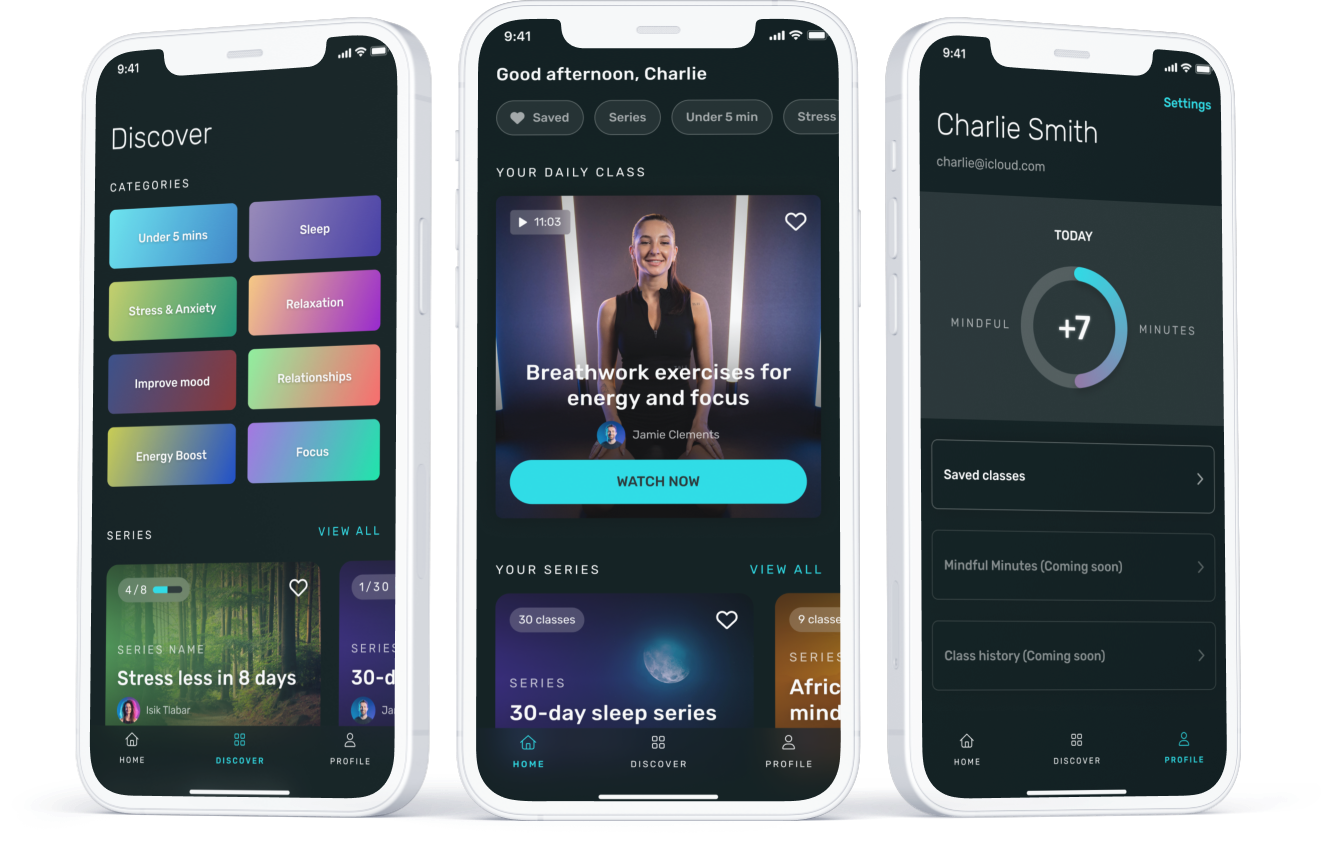
Screen design
Designs of the new Discover and Profile screens, and navigation
Biomarkers
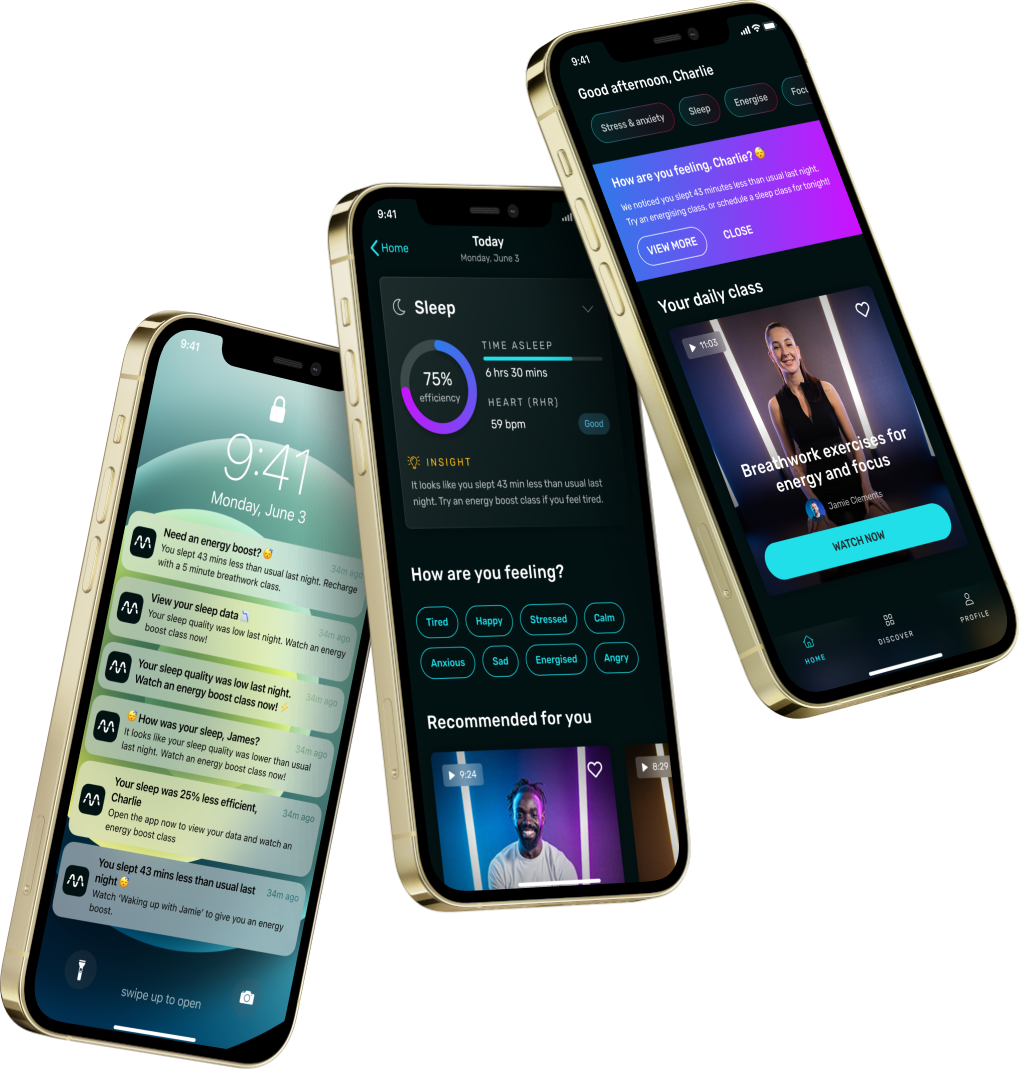
Biomarker data, starting with sleep, was used to personalise content recommendations and track progress, increasing user engagement and providing a unique value proposition.
Screen design
Designs for insight-driven notifications and personalised data-driven home screen and recommendations.
MindLabs 2.0: The Biomarker-Led Pivot
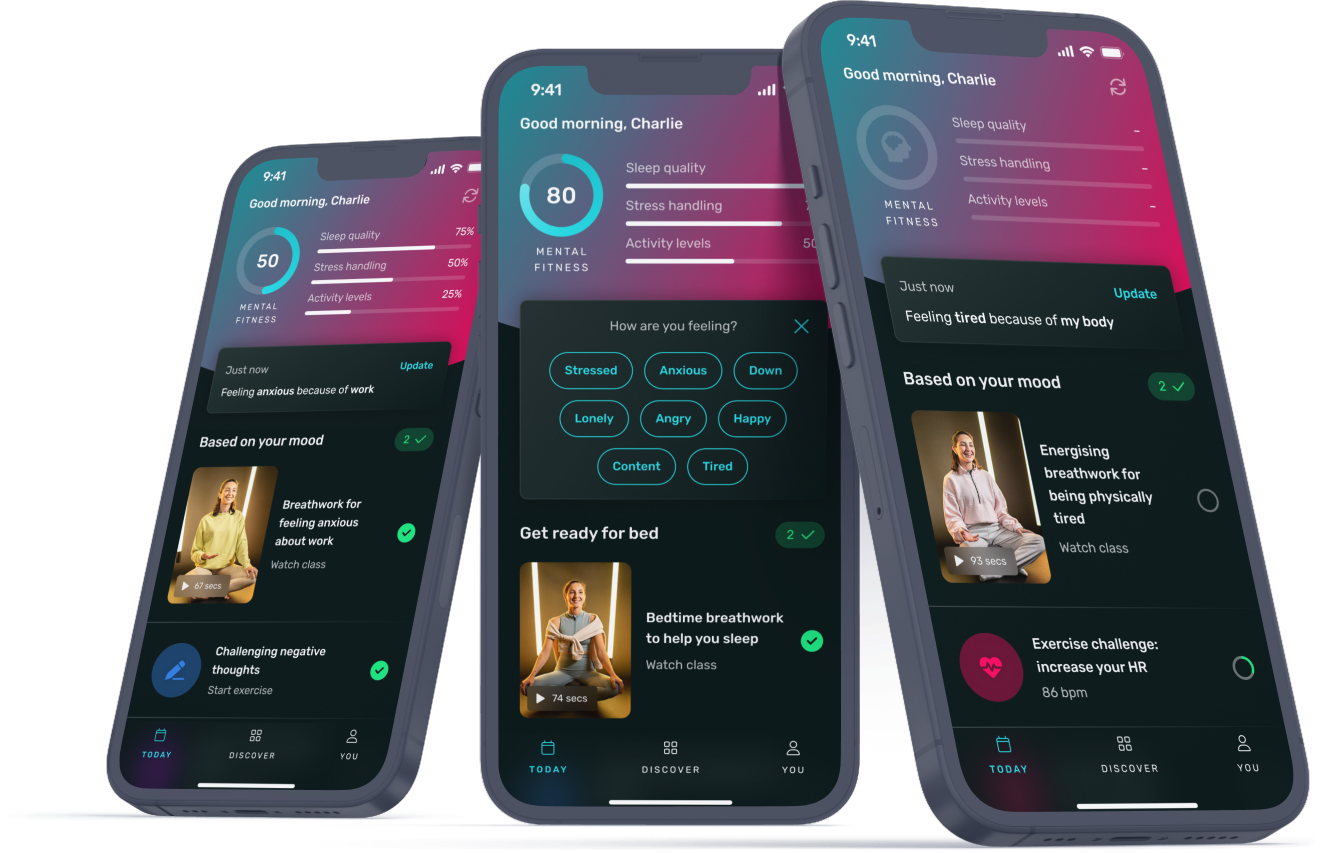
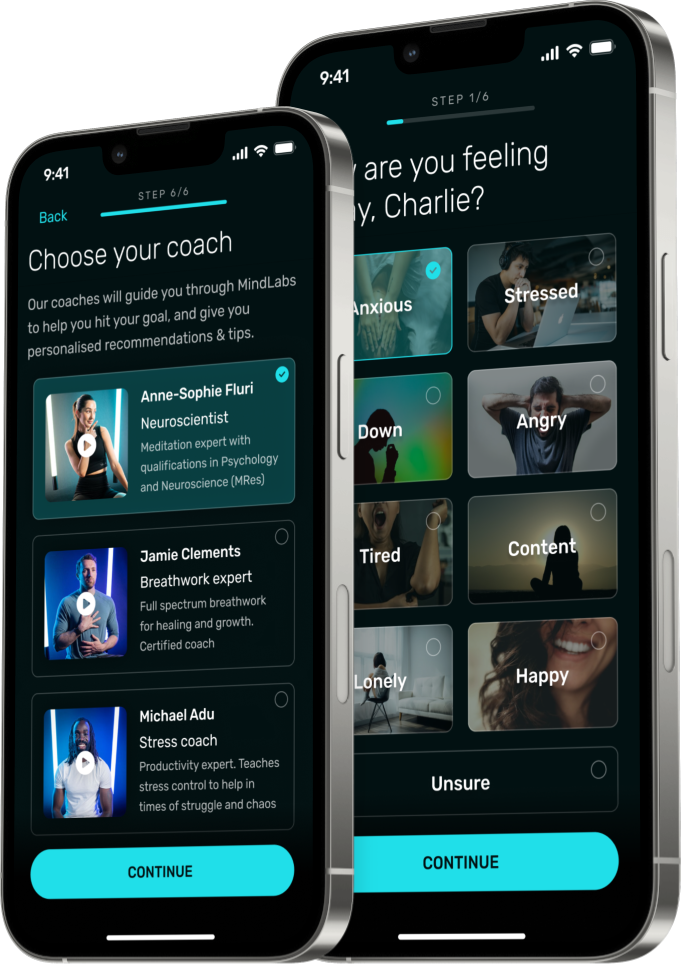
The app's core value proposition evolved to focus on biomarker-driven content, including short classes, CBT exercises, and challenges.
Coaches were introduced to provide insights, guidance, and accountability.
Screen design
Design for new onboarding steps to customise how you feel and choose a coach.
Designs for new home screen ("Today") and CBT exercises
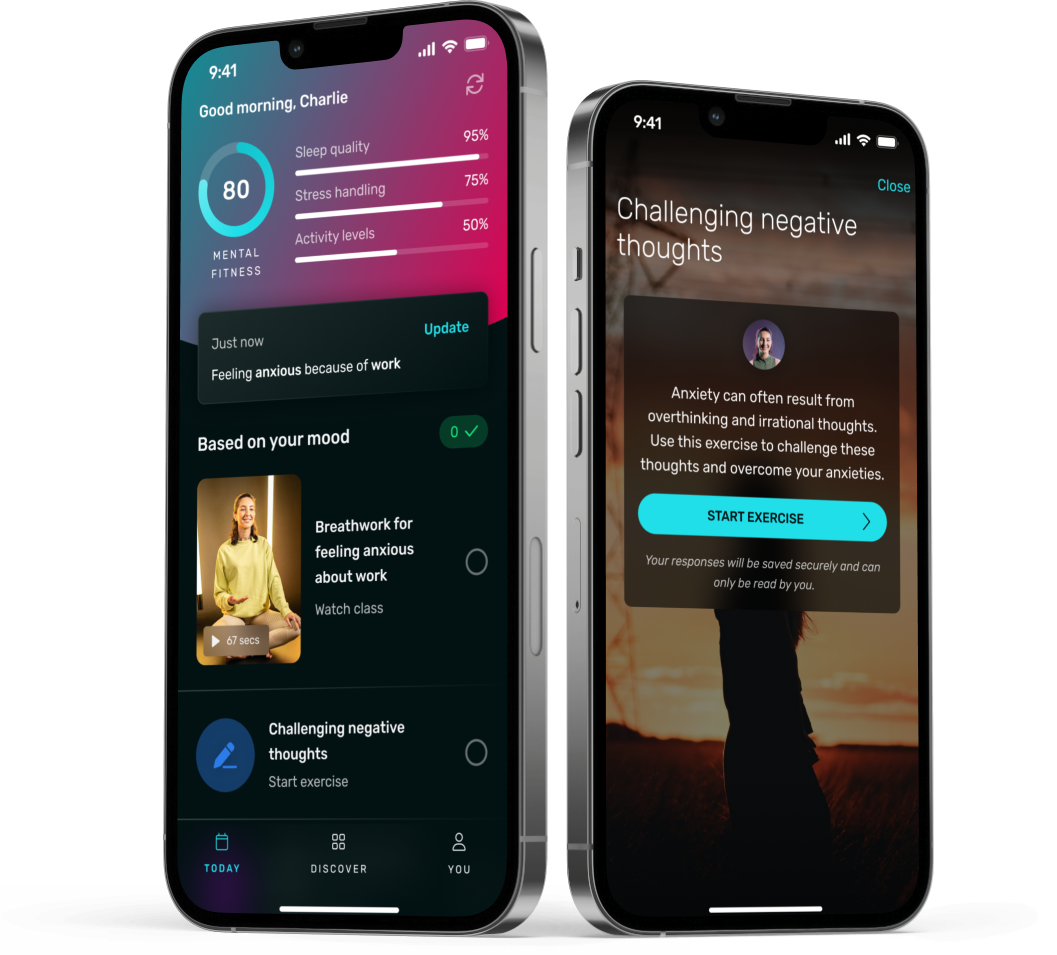
Design for various states of the "Today" screen.